
BirdsEye Direct Satellite Imagery
- GPSMAP 66i includes access to BirdsEye Satellite Imagery via direct-to-device downloads with no annual subscription.
- Transfer an unlimited number of satellite and aerial image segments to your device.
- High-resolution sub-meter color satellite imagery captures the world in brilliant clarity and detail.
- Layer Garmin vector maps with BirdsEye Satellite Imagery for a real-life view of roads, buildings and terrain.
- Makes it easy for hunters to perform preseason scouting, determine placement of stands and locate game pinchpoints.
- Helps hikers and campers find trails/trailheads and clearings for camping areas.
- Enables geocachers to determine the terrain type around a cache and identify nearby parking areas.
- Allows users to view tourist hot spots and landmarks from an aerial view to make excursions memorable without getting lost.
- Coverage and level of detail will vary by location.
- Heavily populated areas are updated more frequently, usually on an annual basis.
- Lesser populated areas are updated less frequently, usually on a biennial basis for most regions.
- Existing BirdsEye satellite maps must be re-downloaded to display updated satellite imagery.
- BirdsEye map issues should be reported here.
- BirdsEye Satellite was upgraded to provide clearer and more vivid imagery in February 2020.
- BirdsEye Direct satellite imagery can not be displayed in BaseCamp.
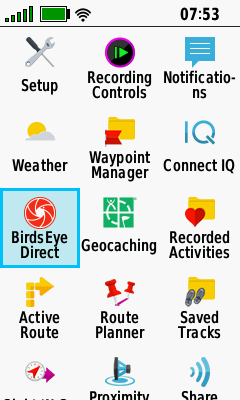
Open BirdsEye Direct

|
|

|
|
|---|---|---|---|
| Current Location Displayed on Map Page |
Select
(Menu) > (Menu) > [BirdsEye Direct] |
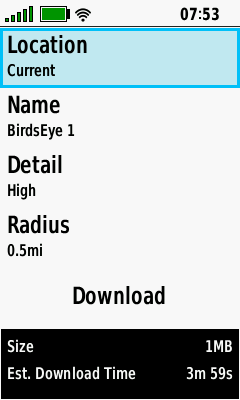
Select [Download Imagery] |
BirdsEye Direct Download Menu is Displayed |
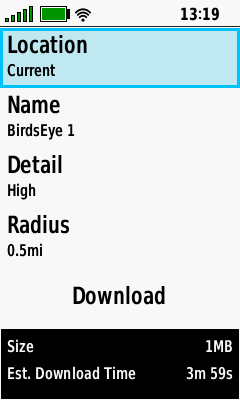
Edit Location
|
|

|

|
|---|---|---|---|
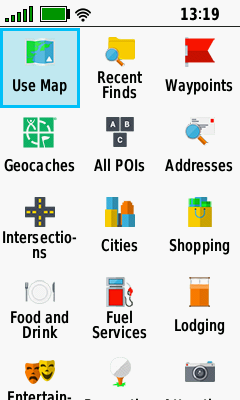
| Select [Location] | Choose from available Location categories... |
...or Select [Others]... | ...to Choose from additional categories |
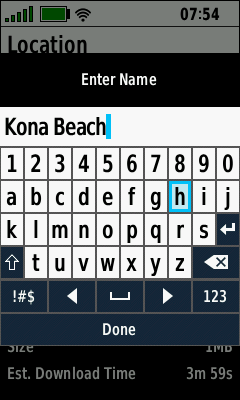
Edit Name

|

|
|

|
|---|---|---|---|
| Select [Name] | Current Map Name is Displayed |
Edit Map Name as Desired |
Select [Done] when Complete |
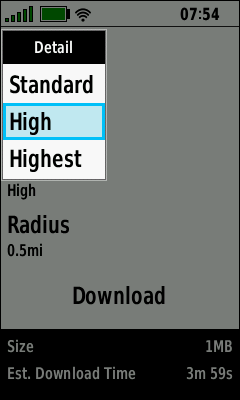
Edit Detail

|

|
|

|
|---|---|---|---|
| Select [Detail] | Choose [Standard] for lowest resolution |
Choose [High] for medium resolution |
Choose [Highest] for maximum resolution |
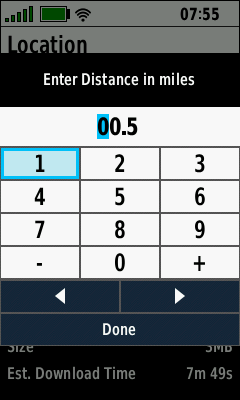
Edit Radius

|
 |

|

|
|---|---|---|---|
| Select [Radius] | Current Radius is Displayed |
Edit Radius as Desired |
Map Size & Download Time Reflect Changes Made |
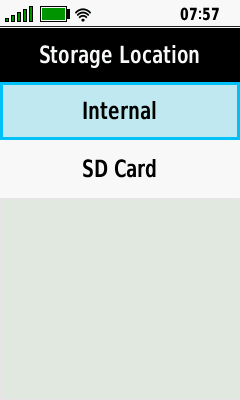
Download Imagery
- Requires active Wi-Fi internet connection.
- GPSr can be used normally after download begins (satellite imagery will continue to download in background).
- Map Size and Estimated Download Time will vary with Location, Detail and Radius selections.

|
|

|

|
|---|---|---|---|
| Select [Download] | Choose Download Storage Location |
Satellite Imagery is Downloading |
Satellite Imagery Download is Complete |
Map Options

|

|

|

|
|---|---|---|---|
| Select Desired Map | Select [View Map] to View Imagery |
Select [Rename] to Edit Map Name |
Select [Delete] to Remove Map |
View Map

|

|

|

|
|---|---|---|---|
| Use + / - Buttons to Zoom in/out as Desired |
Use D-PAD to Pan Map as Desired |
Enable BirdsEye Imagery

|

|

|

|
|---|---|---|---|
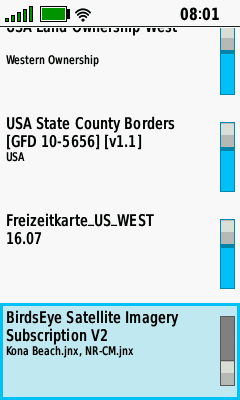
| BirdsEye Map Disabled Press (Enter) to Enable |
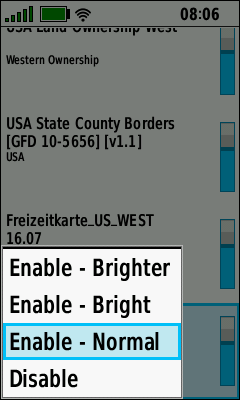
Select Desired Map Display Brightness |
Press (Enter) to Complete Selection |
BirdsEye Map Enabled Press (Enter) to Disable |
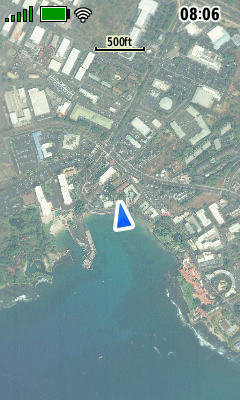
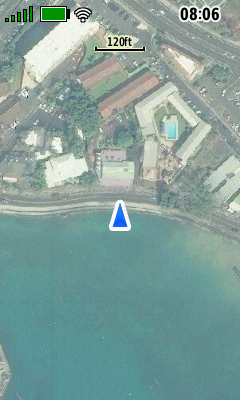
Normal Map
|

|
|

|
|---|
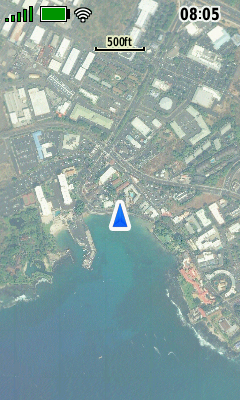
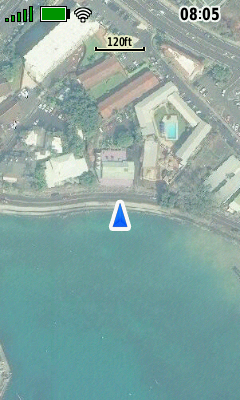
Bright Map
|

|
|

|
|---|
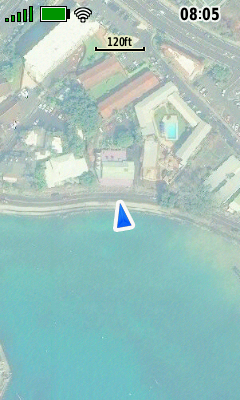
Brighter Map

|

|
|

|
|---|
Disable BirdsEye Imagery

|
|

|
|
|---|---|---|---|
| BirdsEye Map Enabled Press (Enter) to Disable |
Current Map Display Brightness Selected |
Select [Disable] and Press (Enter) |
BirdsEye Map Disabled Press (Enter) to Enable |
