|
|---|
What is chirp?
The Garmin chirp is a unique wireless beacon designed specifically for geocaching. Affordable, durable and waterproof, chirp can communicate with, and be programmed by compatible Garmin handheld devices. Chirp can store hints, multi-cache coordinates, count visitors and confirm a cache is nearby.
With chirp, setting up and maintaining a multi-cache has never been easier. Using compatible Garmin handheld devices, chirp automatically transmits programmed coordinates so other cachers can find each stage of your multi-cache, so there’s no need to manually enter numerous sets of complex coordinates – there’s just one simple touch and you’re on your way to the next stage!
Chirp is password protected, so you’re the only one with programming powers. The chirp battery is easy to replace, and can provide power for up to 1 full year of operation. Chirp is small enough to fit into most cache hides, so when other geocachers arrive near your cache, they’ll be alerted that your cache is nearby, and they’ll be able to access the hints and coordinates you have programmed. And when you return, chirp will tell you how many visitors have been to your cache.
Read the
Garmin chirp press release.
chirp Specification
| Part Number | 010-11092-20 | |
| Dimensions | 1.3" x 0.9" x 0.3" (3.3 x 2.3 x 0.7cm) | |
| Weight | < 1 oz (28g) | |
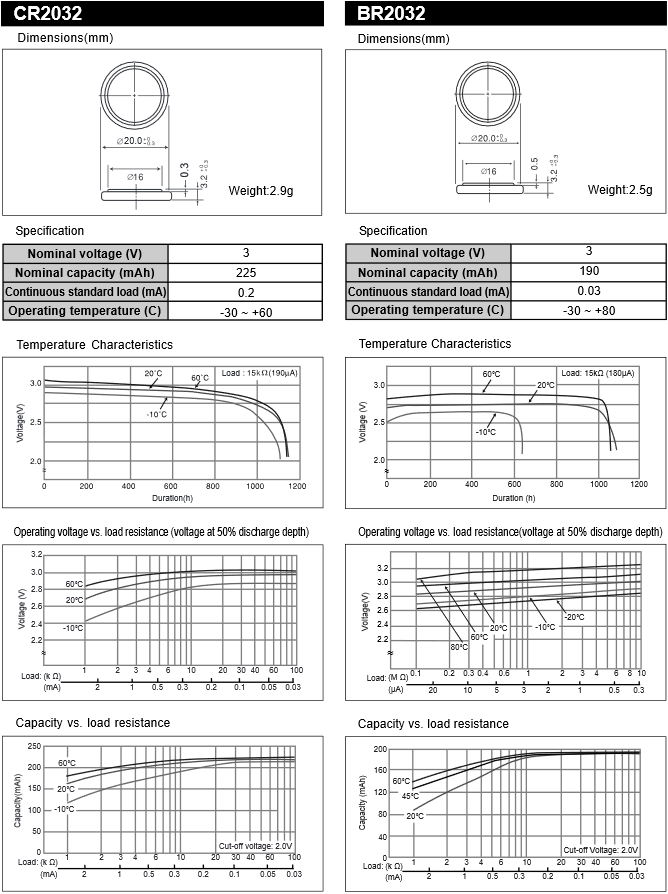
| Battery Type | User replaceable CR2032 or BR2032 | |
| Battery Life | Up to 12 months | |
| Water Resistance | IPX7 (Water resistant to 32.9ft. or 10m) | |
| Operating Temperature | CR2032: -04°F to 140°F (-20°C to 60°C) / BR2032: -22°F to 176°F (-30°C to 80°C) | |
| Radio Frequency | 2.4 GHz ANT+ wireless communication protocol | |
| Range | Up to 32 ft (10m) | |
| Password Protection | Yes |
chirp Access
 |
 |
 |
 |
|||||
|---|---|---|---|---|---|---|---|---|
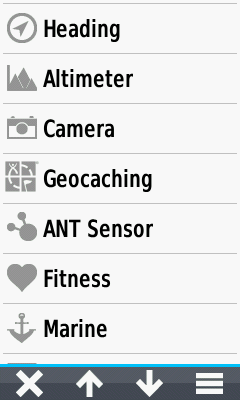
| Select [Setup] |
Scroll menu to [Geocaching] |
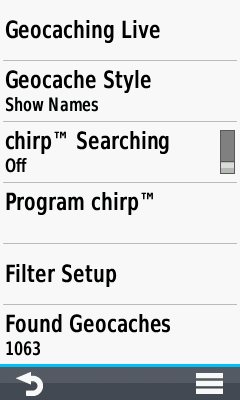
Select [Geocaching] |
Geocaching setup menu with chirp access |
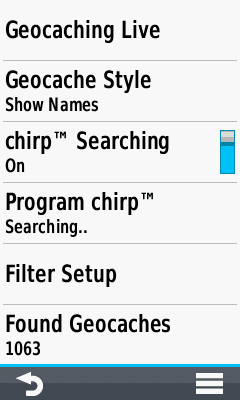
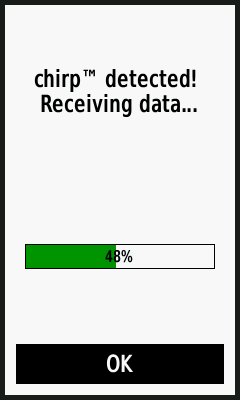
chirp Searching
|
 |
 |
 |
|||||
|---|---|---|---|---|---|---|---|---|
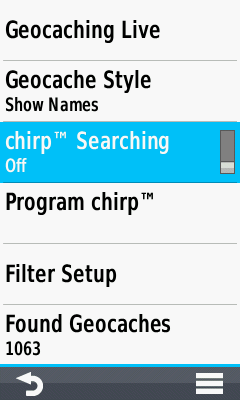
| Access Geocaching setup menu |
Toggle [chirp Searching] On |
chirp Searching enabled |
Chirp detected! |
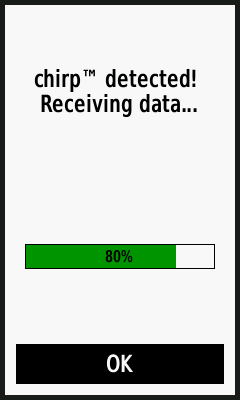
Discover a New chirp
 |
 |
 |
 |
|||||
|---|---|---|---|---|---|---|---|---|
| Initiate chirp search |
Blank chirp detected |
Select [Yes] to program chirp |
Select [No] to exit |
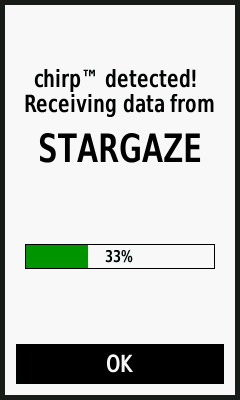
Discover a Programmed chirp
 |
 |
 |
 |
|||
|---|---|---|---|---|---|---|
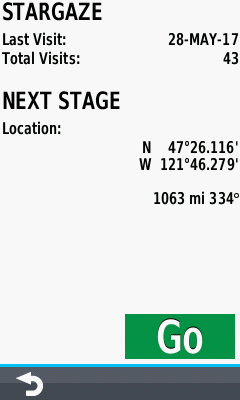
| Initiate chirp search |
Programmed chirp detected |
[Show Details] displays chirp information |
[OK] exits to Geocaching setup menu |
|||
 |
 |
 |
||||
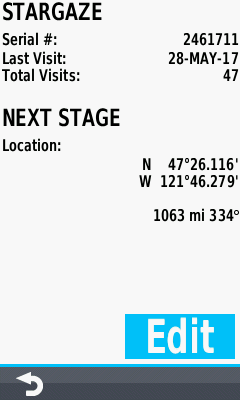
| [Go] Begin navigation to chirp coordinates |
[Edit] option provided for chirp owner |
Select [Edit] to program chirp |
||||
Access a Programmed chirp
 |
 |
 |
 |
|||||
|---|---|---|---|---|---|---|---|---|
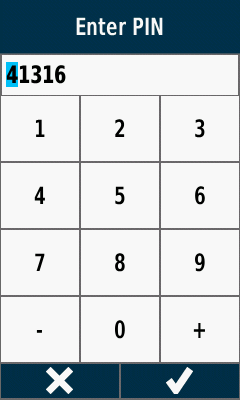
| Access Geocaching setup menu Select [Program chirp] |
Select [Enter PIN] | Enter last 5 digits of chirp owner unit ID to unlock |
Incorrect PIN warning |
Program a chirp
- Blank chirp will adopt last 5 digits of the programming GPSr unit ID as PIN for future access
- Programmed chirp will require PIN (last 5 digits of chirp owner GPSr unit ID) to unlock
- Programming chirp with owner GPSr does not require PIN entry
- Programmed chirp without owner GPSr or PIN
can not be modified
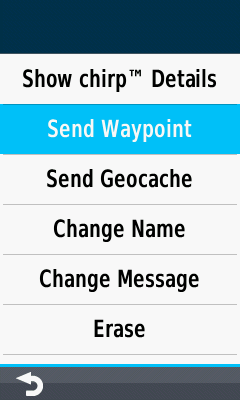
Send Waypoint
 |
 |
 |
 |
|||||
|---|---|---|---|---|---|---|---|---|
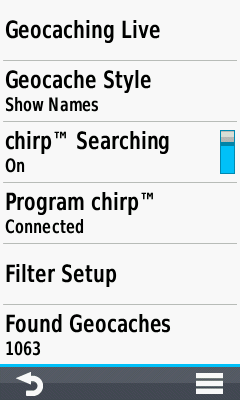
| Access Geocaching setup menu |
Select [Program chirp] |
Select [Send Waypoint] |
Make selection from available waypoints |
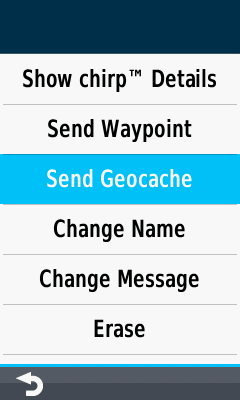
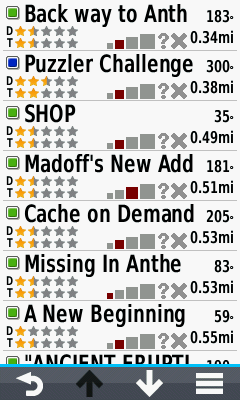
Send Geocache
|
|
 |
 |
|||||
|---|---|---|---|---|---|---|---|---|
| Access Geocaching setup menu |
Select [Program chirp] |
Select [Send Geocache] |
Make selection from available geocaches |
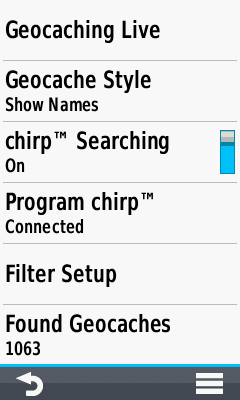
Change Name
 |
 |
 |
 |
|||||
|---|---|---|---|---|---|---|---|---|
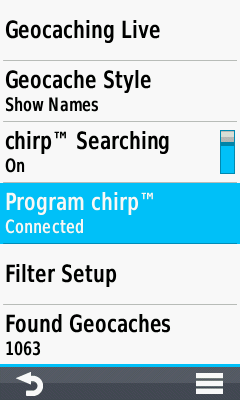
| Access Geocaching setup menu |
Select [Program chirp] |
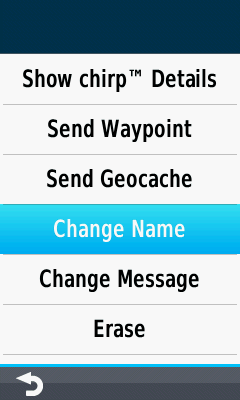
Select [Change Name] |
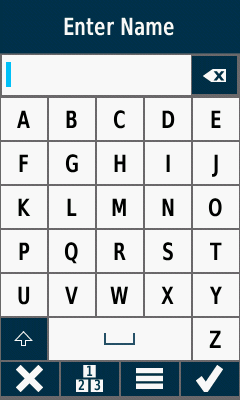
Enter desired name |
Change Message
|
|
|
 |
 |
|||||
|---|---|---|---|---|---|---|---|---|
| Access Geocaching setup menu |
Select [Program chirp] |
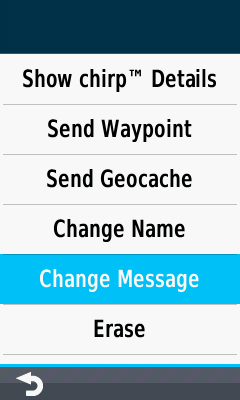
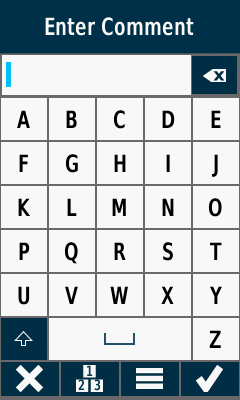
Select [Change Message] |
Enter desired message |
Erase a chirp
|
|
|
 |
 |
|||||
|---|---|---|---|---|---|---|---|---|
| Access Geocaching setup menu |
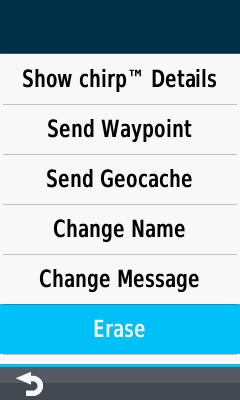
Select [Program chirp] |
Select [Erase] |
Erase chirp confirmation request |
|||||
 |
 |
 |
||||||
| Select [Yes] to proceed |
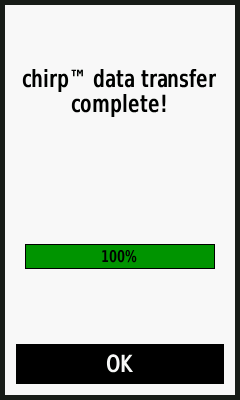
Chirp erasure in process |
Chirp erasure complete |