


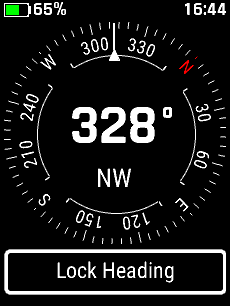
| Without Destination | |
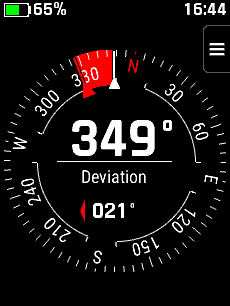
| With Destination | |
| Lock Heading | |
|
|
Scroll up to previous selection |
|
|
Scroll down to next selection |
|
|
Confirm current selection |
|
|
Press and Hold to open Voice Command |
|
|
Return to previous menu or page |
|
|
Press and Hold to open the Action Menu |
|
|
Press to open the Lock Screen |
|
|
Press and Hold to open Controls |
| Without Destination (Not Navigating) | |||||||||||||
 |
|
||||||||||||
 |
|||||||||||||
| With Destination (While Navigating) | |||||||||||||
 |
|
||||||||||||
 |
|||||||||||||
| Lock Heading | |||||||||||||
 |
 |
|
|||||||||||
| Select Desired Heading | Navigate Selected Heading | ||||||||||||
|
|
|||||||||||||





