


| Mark Waypoint | |
| Waypoint Options | |
| Edit Name | |
| Edit Icon | |
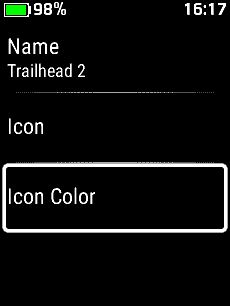
| Edit Icon Color | |
| Edit Location | |
| Edit Elevation | |
| Edit Notes | |
|
|
Scroll up to previous selection |
|
|
Scroll down to next selection |
|
|
Confirm current selection |
|
|
Press and Hold to open Voice Command |
|
|
Return to previous menu or page |
|
|
Press and Hold to open the Action Menu |
|
|
Press to open the Lock Screen |
|
|
Press and Hold to open Controls |
| Mark Waypoint | |||
 |
 |
 |
 |
| 'Mark Waypoint' | Waypoint Marked | View Waypoint Details | View Waypoint Details |
|
|
|
|
|
| Waypoint Options | |||
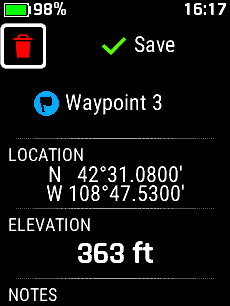 |
 |
 |
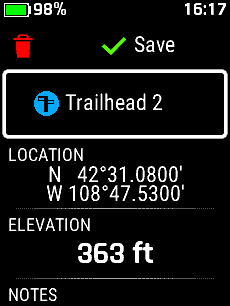 |
| Discard Waypoint | Edit Name | Edit Icon | Edit Icon Color |
|
|
|
|
|
 |
 |
 |
 |
| Edit Location | Edit Elevation | Edit Notes | Save Waypoint |
|
|
|
|
|
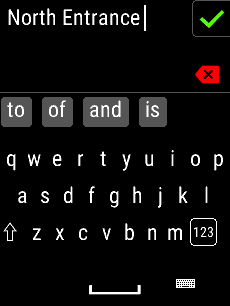
| Edit Name | |||
|
|
 |
 |
 |
| Select Waypoint Name | Select 'Name' | Edit Waypoint Name |
|
|
|
|
||
 |
 |
||
|
|
Waypoint Name Updated | ||
| Edit Icon | |||
|
|
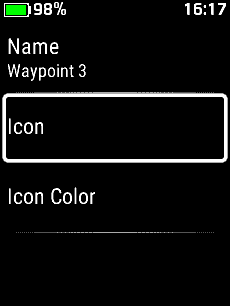 |
 |
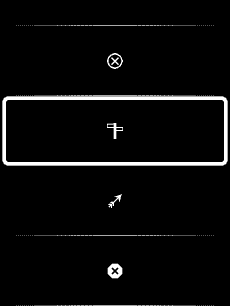 |
| Select Waypoint Name | Select 'Icon' | Choose Icon Category | Select Desired Symbol |
|
|
|
|
|
 |
 |
||
|
|
Waypoint Icon Updated | ||
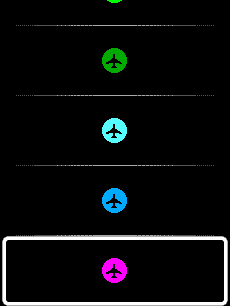
| Edit Icon Color | |||
|
|
 |
 |
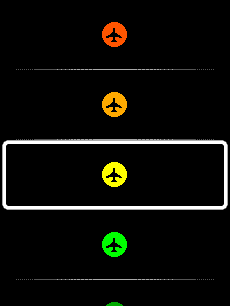 |
| Select Waypoint Name | Select 'Icon Color' | View Color Options | Choose Desired Color |
|
|
|
|
|
 |
 |
||
|
|
Icon Color Updated | ||
| Location | |||
|
|
 |
 |
 |
| Select 'Location' |
Next Position |
Change Value |
Location Updated |
|
|
Last Position |
|
|
| Elevation | |||
|
|
 |
 |
 |
| Select 'Elevation' |
Next Position |
Change Value |
Elevation Updated |
|
|
Last Position |
|
|
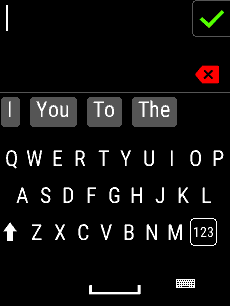
| Notes | |||
|
|
 |
 |
 |
| Select 'Notes' | Edit Notes |
|
Notes Updated |
|
|
|||
