


| Tracking Pages | |
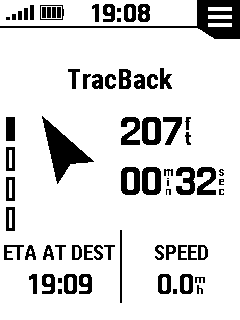
| Destination | |
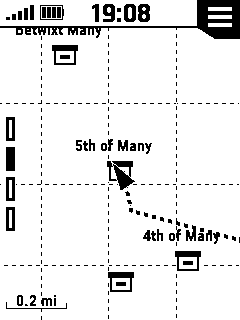
| Map | |
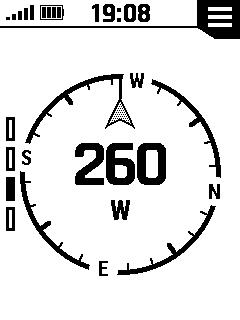
| Compass | |
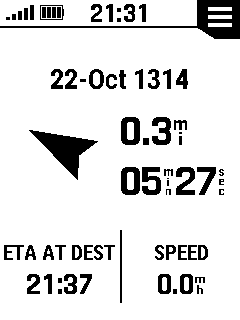
| Trip Computer | |
| Tracking Controls | |
|
|
Move to previous selection (or) press-and-hold to scroll selections |
|
|
Move to next selection (or) press-and-hold to scroll selections |
|
|
Return to previous menu (or) press-and-hold to view Glances |
|
|
Confirm current selection (or) press-and-hold to Mark Waypoint |
|
|
Cycle backlight on/off (or) press-and-hold to open Power Menu |
| Tracking Pages | |||||||
|
|||||||
 |
 |
 |
 |
||||
| Destination | Map | Compass | Trip Computer | ||||
|
|
|
|
|
||||
| Destination Page | |||||||
|
|||||||
 |
 |
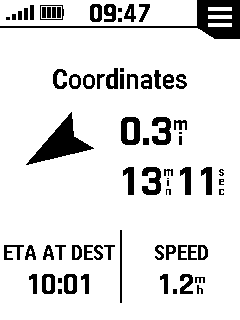 |
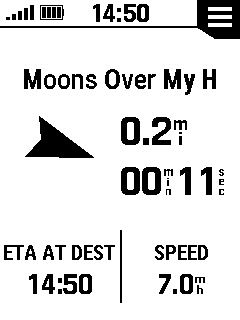 |
||||
| Activity | City | Coordinates | Geocache | ||||
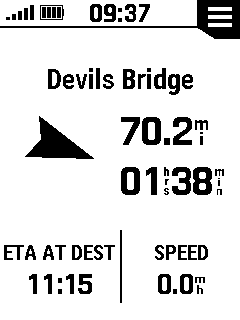 |
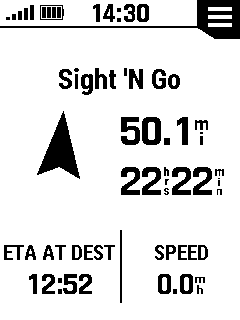 |
 |
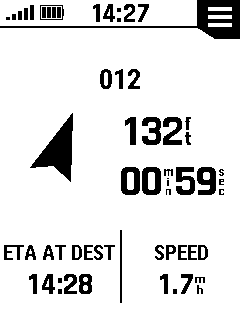 |
||||
| Route | Sight 'N Go | TracBack | Waypoint | ||||
 Destination Option Menu
 |
|||||||
 |
View Geocache Details | ||||||
 |
Log Geocache Attempt | ||||||
 |
Enter Geocache Next Stage | ||||||
 |
Open Tracking Controls | ||||||
 |
Choose New Navigation Destination | ||||||
 |
View Course Points | ||||||
 |
Stop Navigating | ||||||
| Map Page | |||||||
|
Map
Orientation Pan/Zoom Map Map Destination Show on Map Dashboard Option Menu |
||||||
| Map Orientation | |||||||
|
|||||||
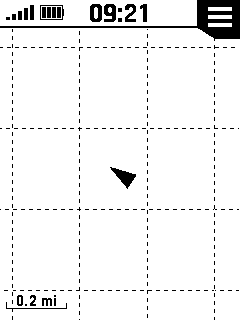 |
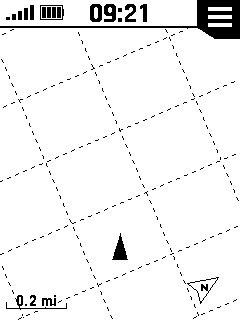 |
||||||
| North Up | Track Up | ||||||
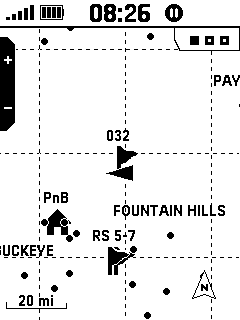
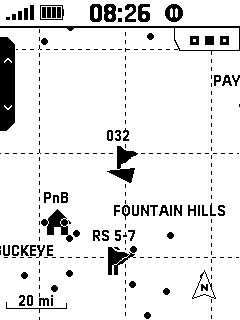
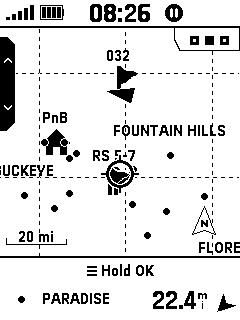
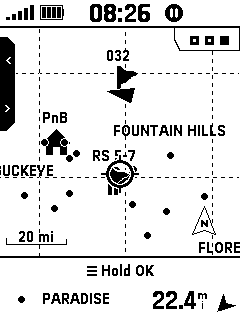
| Pan/Zoom Map | |||||||
|
|||||||
 |
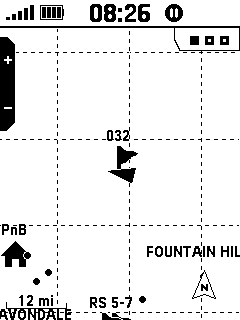 |
 |
 |
||||
 |
|
|
|
||||
| Select 'Pan/Zoom Map' |
 |
Zoom In | Zoom Out | ||||
|
|
|||||||
 |
 |
 |
 |
||||
|
|
|
|
|
||||
 |
Pan Map Up/Down |
 |
Pan Map Left/Right | ||||
|
|
 |
 |
 |
||||
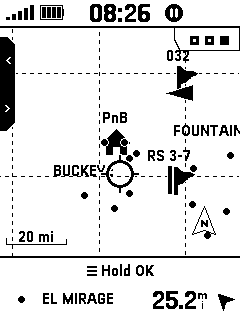
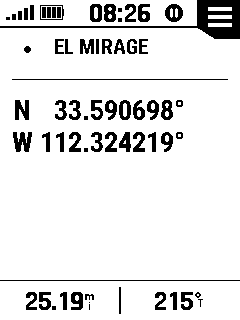
| Hold |
|
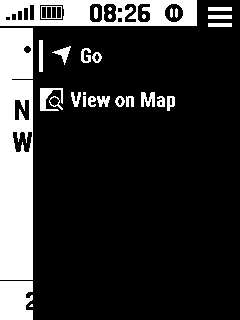
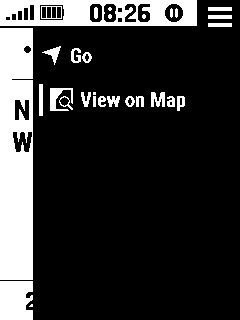
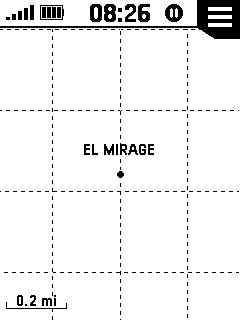
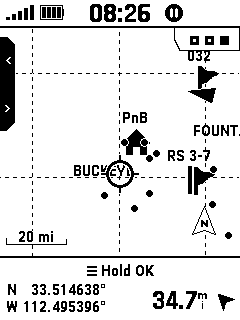
Map Item is Displayed | Select 'Go' | Select 'View on Map' | |||
| To View Selected Map Item |
|
to Begin Navigation |
|
||||
 |
 |
 |
 |
||||
| Selected Item is | Hold |
|
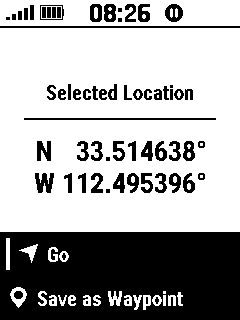
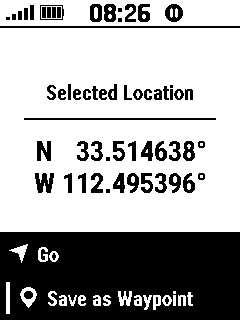
Select 'Go' | Select 'Save as Waypoint' | |||
| Displayed on Map | To View Selected Location | to Begin Navigation |
|
||||
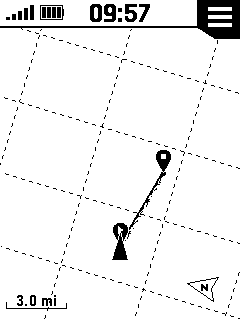
| Map Destination | |||||||
|
|||||||
 |
 |
||||||
| With Destination | Without Destination | ||||||
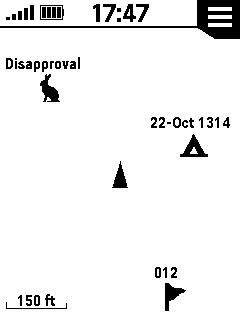
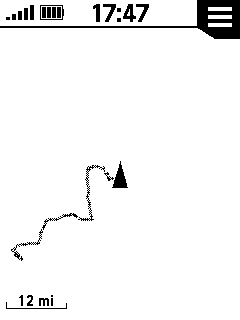
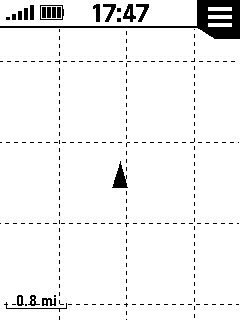
| Show On Map | |||||||
|
|||||||
 |
 |
 |
 |
||||
| None | Waypoints | Geocaches | Cities | ||||
 |
 |
 |
 |
||||
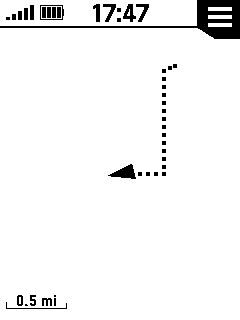
| Courses | Activities | Grid Lines | Recording | ||||
| Map Dashboard | |||||||
|
|||||||
 |
 |
 |
 |
||||
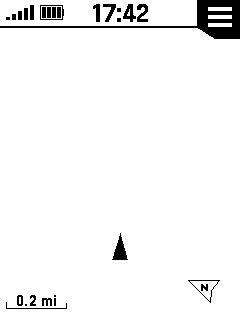
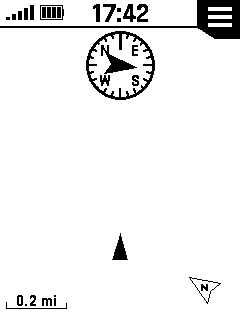
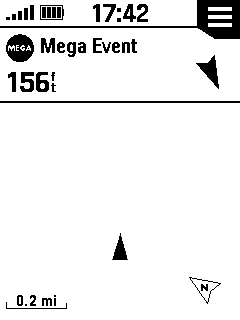
| Dashboard Disabled | Compass | Geocache | Large Data Field | ||||
| Dashboard Enabled | Dashboard Enabled | Dashboard Enabled | |||||
 |
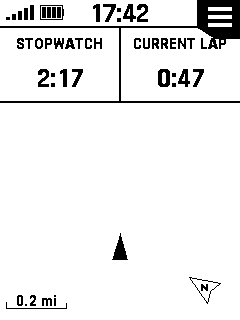 |
||||||
| Small Data Fields | Stopwatch | ||||||
| Dashboard Enabled | Dashboard Enabled | ||||||
|
Map Option Menu |
|||||||
 |
Begin Navigation | ||||||
 |
View on Map | ||||||
|
|
View Geocache Details | ||||||
|
|
Log Geocache Attempt | ||||||
|
|
Enter Geocache Next Stage Coordinates | ||||||
|
|
Open Tracking Controls | ||||||
 |
Pan/Zoom Map | ||||||
|
|
Choose New Navigation Destination | ||||||
|
|
Stop Navigating | ||||||
 |
Save current location as waypoint | ||||||
 |
Open Stopwatch | ||||||
 |
Edit Data Fields | ||||||
 |
Change Dashboard | ||||||
 |
View/Edit Map Settings | ||||||
| Compass Page | |||||||
|
No
Destination With Destination CDI CDI Scale Dashboard Option Menu |
||||||
| No Destination | |||||||
|
|||||||
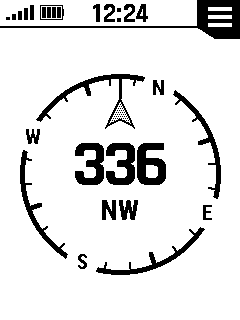 |
 |
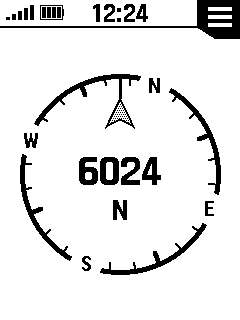 |
|||||
| Directional Letters | Degrees | Mils | |||||
| With Destination | |||||||
|
|||||||
 |
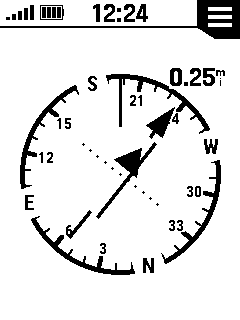 |
||||||
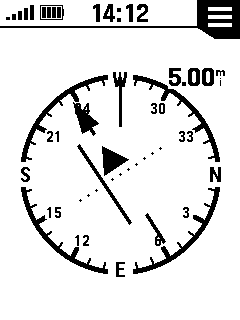
| Bearing Pointer | Course (CDI) | ||||||
| CDI | |||||||
|
|||||||
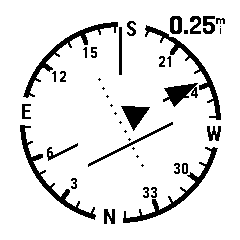 |
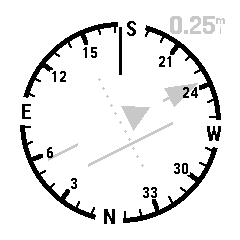 |
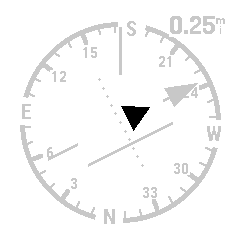 |
 |
||||
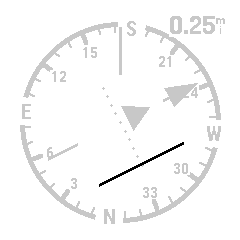
| CDI indicating 238° bearing | The Compass Ring indicates | 'To/From' Flag indicating the | 'To/From' Flag indicating the | ||||
| with course drift to port (left) | your current orientation in | current direction of travel is | current direction of travel is | ||||
| of approximately 0.125 mile | relation to North Reference | 'To' the selected destination | 'From' the selected destination | ||||
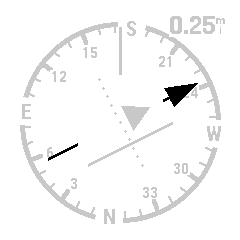 |
 |
 |
 |
||||
| The Bearing Pointer | The CDI Drift Scale | The Course Deviation Needle | This Course Deviation Needle | ||||
| indicates direction | provides a visual reference | indicates the desired course line | indicates a severe course drift | ||||
| to selected destination | to measure drift severity | relative to your current location | beyond full drift scale value | ||||
| CDI Drift Scale | |||||||
|
|||||||
 |
 |
 |
 |
||||
|
|
Current CDI Scale |
|
CDI Scale Value | ||||
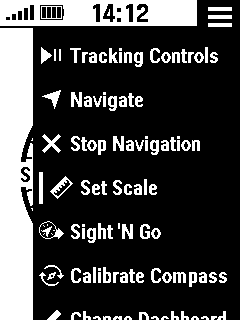
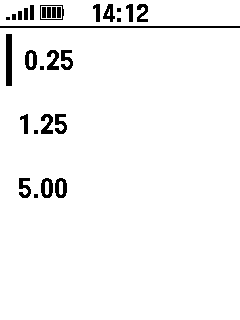
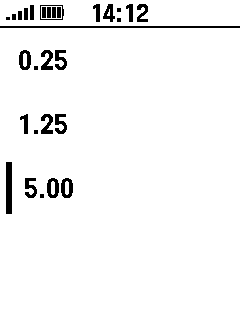
| Select 'Set Scale' | Value is Displayed | Select Desired Scale Value | is Updated | ||||
|
|
|
||||||
| Compass Dashboard | |||||||
|
|||||||
 |
 |
 |
 |
||||
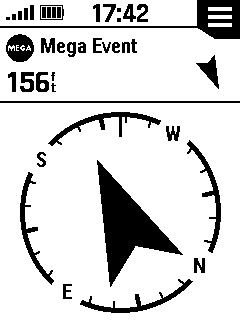
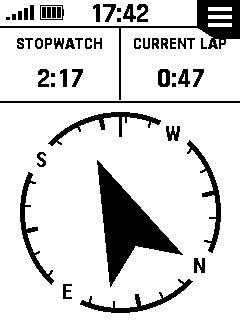
| Geocache | Large Data Field | Small Data Fields | Stopwatch | ||||
| Dashboard Enabled | Dashboard Enabled | Dashboard Enabled | Dashboard Enabled | ||||
|
Compass Option Menu |
|||||||
|
|
View Geocache Details | ||||||
|
|
Open Tracking Controls | ||||||
|
|
Choose New Navigation Destination | ||||||
 |
Configure CDI Scale | ||||||
|
|
Stop Navigating | ||||||
 |
Begin Sight 'N Go Navigation | ||||||
 |
Calibrate Compass | ||||||
|
|
Open Stopwatch | ||||||
|
|
Edit Data Fields | ||||||
|
|
Change Dashboard | ||||||
 |
View/Edit Compass settings | ||||||
| Trip Computer Page | |||||||
|
Less Data More Data Insert Page Remove Page Edit Data Fields Dashboard Reset Trip Data Restore Defaults Option Menu |
||||||
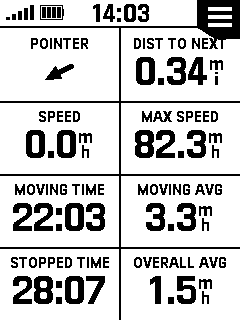
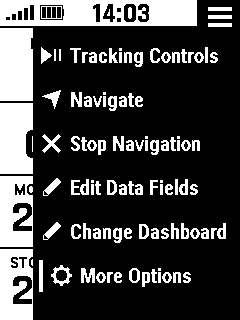
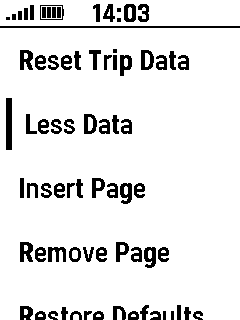
| Less Data | |||||||
|
|||||||
 |
 |
 |
 |
||||
| Select Desired Page | Select 'More Options' | Select 'Less Data' | Data Fields Removed | ||||
|
|
|
|
|||||
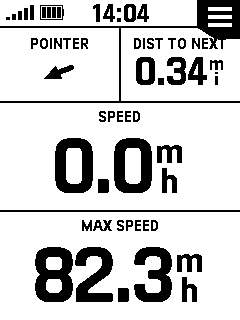
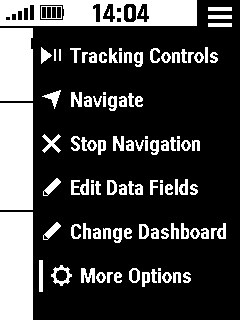
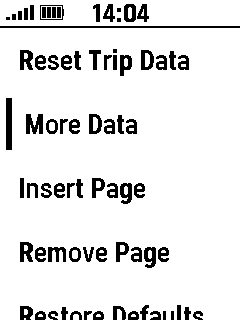
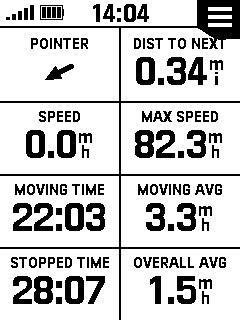
| More Data | |||||||
|
|||||||
 |
 |
 |
 |
||||
| Select Desired Page | Select 'More Options' | Select 'More Data' | Data Fields Added | ||||
|
|
|
|
|||||
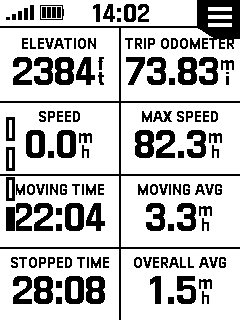
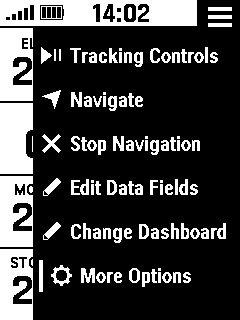
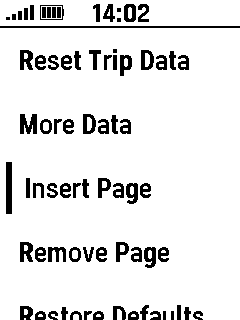
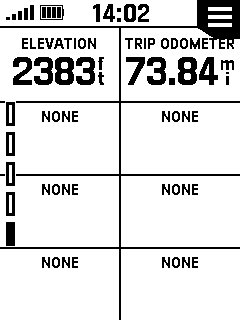
| Insert Page | |||||||
|
|||||||
 |
 |
 |
 |
||||
| Select Desired Page | Select 'More Options' | Select 'Insert Page' | Page Added | ||||
|
|
|
|
|||||
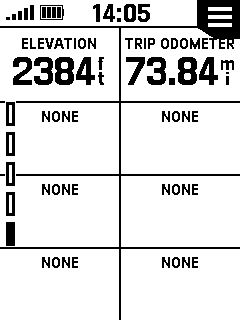
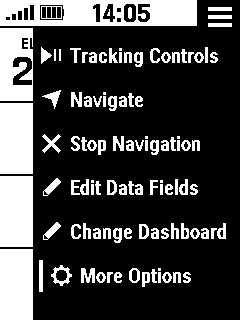
| Remove Page | |||||||
|
|||||||
 |
 |
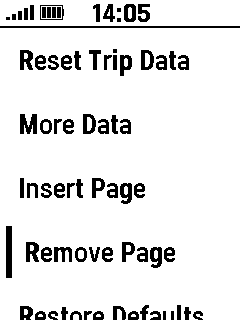 |
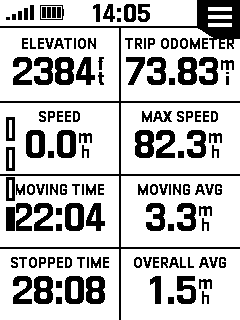 |
||||
| Select Desired Page | Select 'More Options' | Select 'Remove Page' | Page Removed | ||||
|
|
|
|
|||||
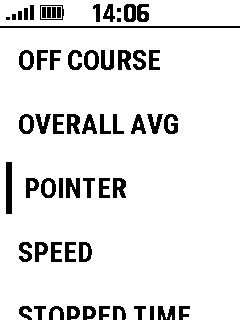
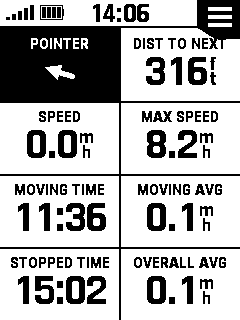
| Edit Data Fields | |||||||
|
|||||||
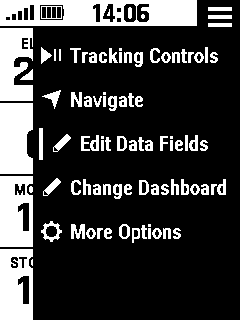 |
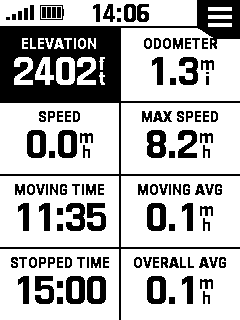 |
 |
 |
||||
|
|
|
|
Repeat as Desired | ||||
| Select 'Edit Data Fields' | Select Desired Data Field | Choose New Data Field |
|
||||
|
|
|
|
When Complete | ||||
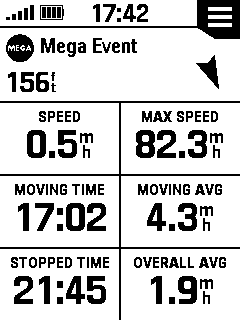
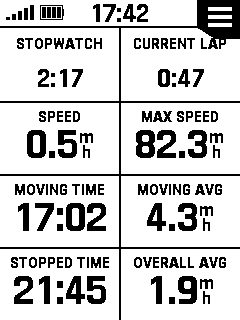
| Trip Computer Dashboard | |||||||
|
|||||||
 |
 |
 |
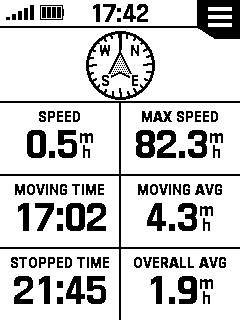 |
||||
| Large Data Field | Geocache | Stopwatch | Compass | ||||
| Dashboard Enabled | Dashboard Enabled | Dashboard Enabled | Dashboard Enabled | ||||
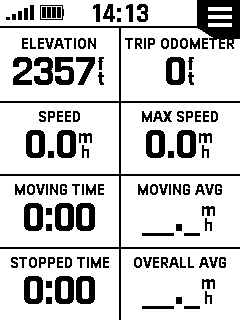
| Reset Trip Data | |||||||
|
|||||||
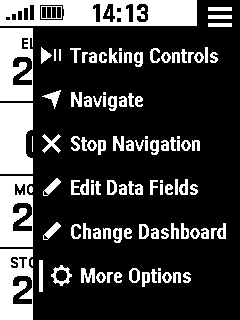 |
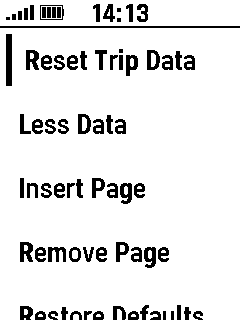 |
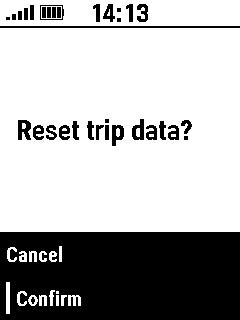 |
 |
||||
|
|
Select 'Reset Trip Data' | Select 'Confirm' | Trip Data is Reset | ||||
| Select 'More Options' |
|
|
|||||
|
|
|||||||
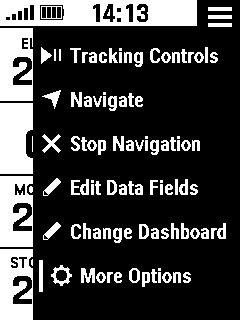
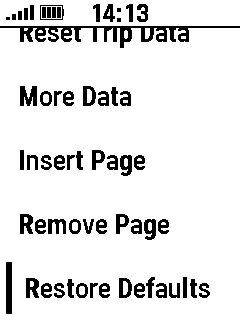
| Restore Defaults | |||||||
|
|||||||
 |
 |
 |
|||||
|
|
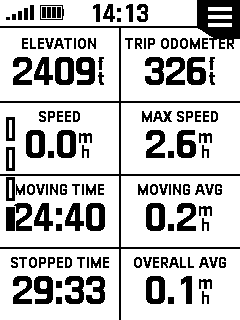
Select 'Restore Defaults' | Default Configuration | |||||
| Select 'More Options' |
|
Restored | |||||
|
|
|||||||
|
Trip Computer Option Menu |
|||||||
|
|
View Geocache Details | ||||||
|
|
Log Geocache Attempt | ||||||
|
|
Enter Geocache Next Stage Coordinates | ||||||
|
|
Open Tracking Controls | ||||||
|
|
Choose New Navigation Destination | ||||||
|
|
Stop Navigating | ||||||
|
|
Open Stopwatch | ||||||
|
|
Edit Data Fields | ||||||
|
|
CHange Dashboard | ||||||
 |
View additional options | ||||||
| Tracking Controls | |||||||
|
Start, Pause, Resume Save Activity Discard Activity Back to Start TracBack Straight Line |
||||||
| Start, Pause, Resume | |||||||
|
|||||||
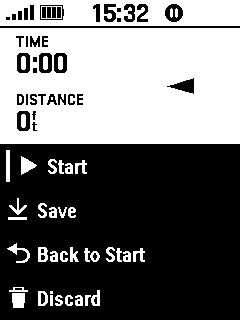 |
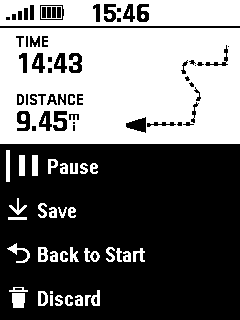 |
 |
|||||
| Select 'Start' to Begin a | Select 'Pause' to Stop the | Select 'Resume' to Continue the | |||||
| New Activity Recording | Current Activity Recording | Current Activity Recording | |||||
| Save Activity | |||||||
|
|||||||
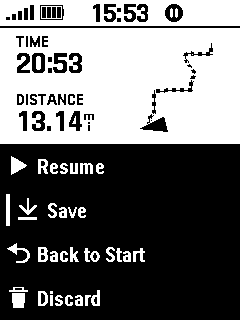 |
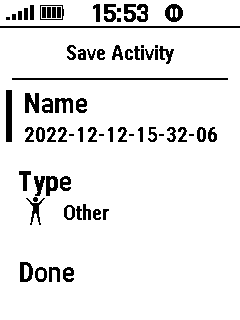 |
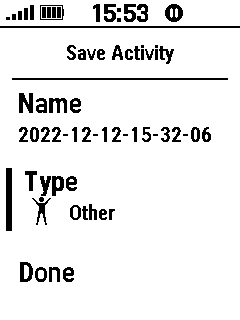 |
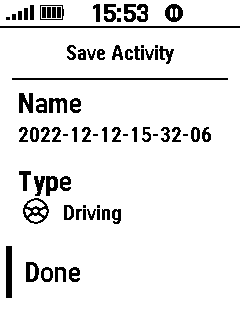 |
||||
| Select 'Save' | Edit Activity Name | Edit Activity Type | Select 'Done' | ||||
|
|
|
|
|
||||
| Discard Activity | |||||||
|
|||||||
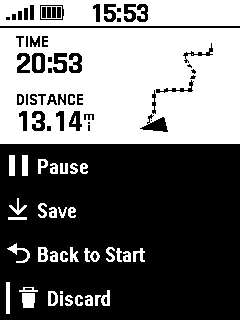 |
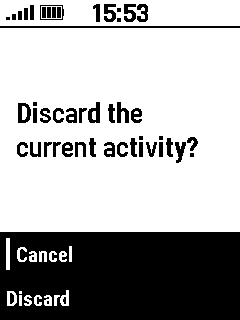 |
 |
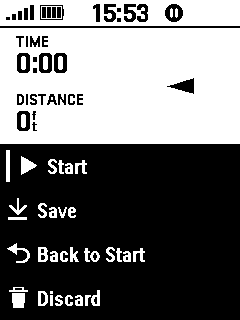 |
||||
| Select 'Discard' | Select 'Cancel' to Abort | Select 'Discard' to Continue | Activity is Cleared | ||||
|
|
|
|
From Device Memory | ||||
| Back to Start | |||||||
| TracBack | |||||||
|
|||||||
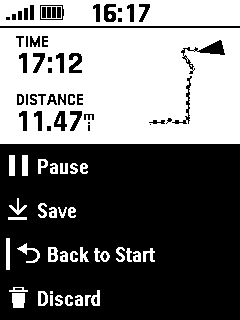 |
 |
 |
|||||
| Select 'Back to Start' | Select 'TracBack' | Navigate Back to Start | |||||
|
|
|
Along the Recorded Track | |||||
| Straight Line | |||||||
|
|||||||
 |
 |
 |
|||||
| Select 'Back to Start' | Select 'Straight Line' | Navigate Back to Start | |||||
|
|
|
Along a Direct Path | |||||
